


解决方案一:【测试成功】
需要删除key文件
删掉或用mv重命名下面三个文件
/etc/ssh/ssh_host_rsa_key
/etc/ssh/ssh_host_dsa_key
/etc/ssh/ssh_host_ecdsa_key
重启sshd服务,即可成功登录。
如果还是不行, 修改/etc/ssh/sshd_config文件,
里面有一个UsePAM选项,把前面的#去掉,然后把no改为yes
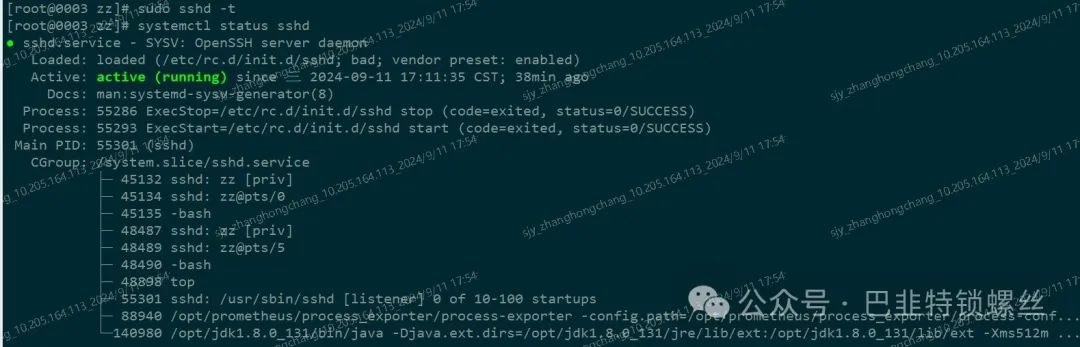
校验配置文件:sudo sshd -t
重启服务即可:sudo systemctl restart sshd
解决方案二:
将 /etc/ssh/sshd_config 文件中
PasswordAuthentication yes
ChallengeResponseAuthentication yes
PermitRootLogin yes
PubkeyAuthentication yes
GSSAPIAuthentication yes
GSSAPICleanupCredentials no
UsePAM yes
保存退出,重启sshd服务:systemctl restart sshd
修改ssh目录权限
chmod 0700 /home/your_home/.ssh
chmod 0600 /home/your_home/.ssh/authorized_keys

版权声明:本文内容来自简书:江河湖海洋,遵循CC 4.0 BY-SA版权协议上原文接及本声明。本作品采用知识共享署名-非商业性使用-禁止演绎 2.5 中国大陆许可协议进行许可。原文链接:https://www.jianshu.com/p/19a36caed6e4如有涉及到侵权,请联系,将立即予以删除处理。在此特别鸣谢原作者的创作。此篇文章的所有版权归原作者所有,与本公众号无关,商业转载建议请联系原作者,非商业转载请注明出处。